

Widget appearance
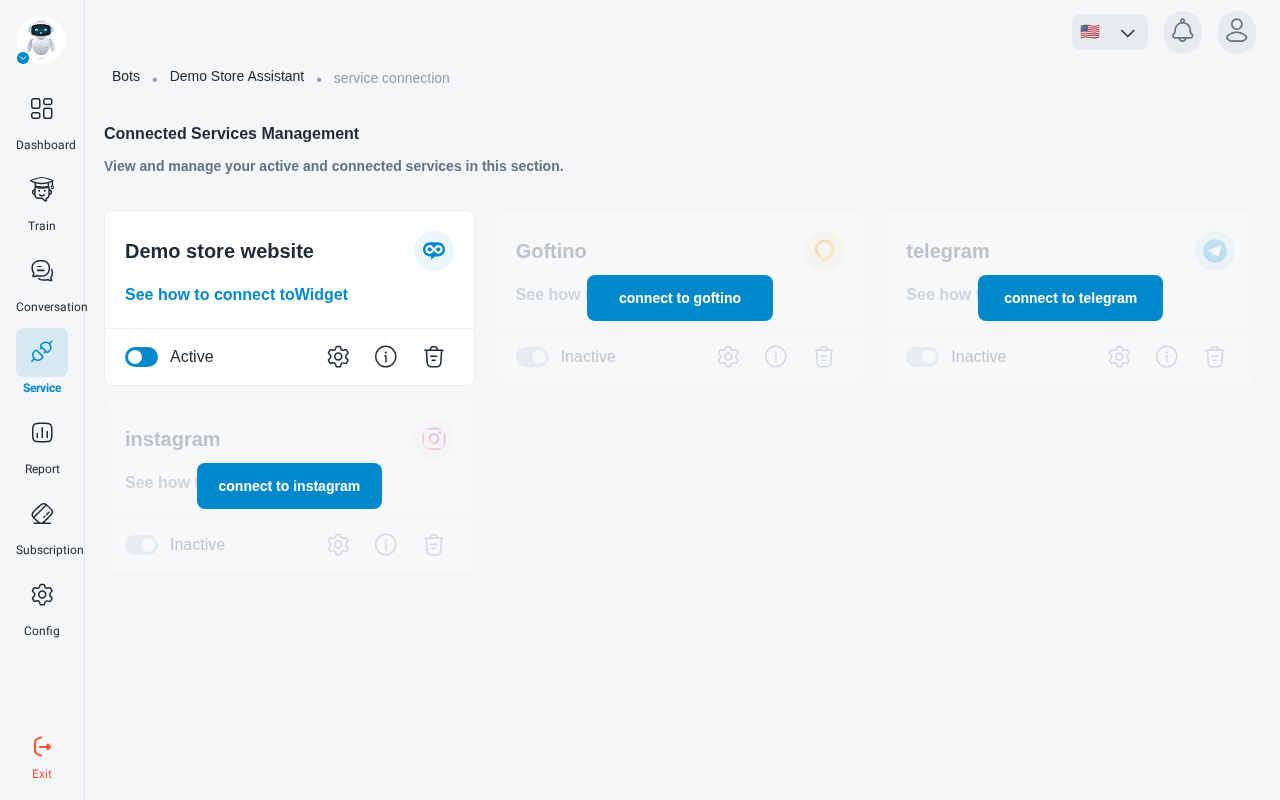
All widget settings live in the widget service’s settings. To open them, go to your robot’s Service page and click the settings (gear) icon on your widget’s card.
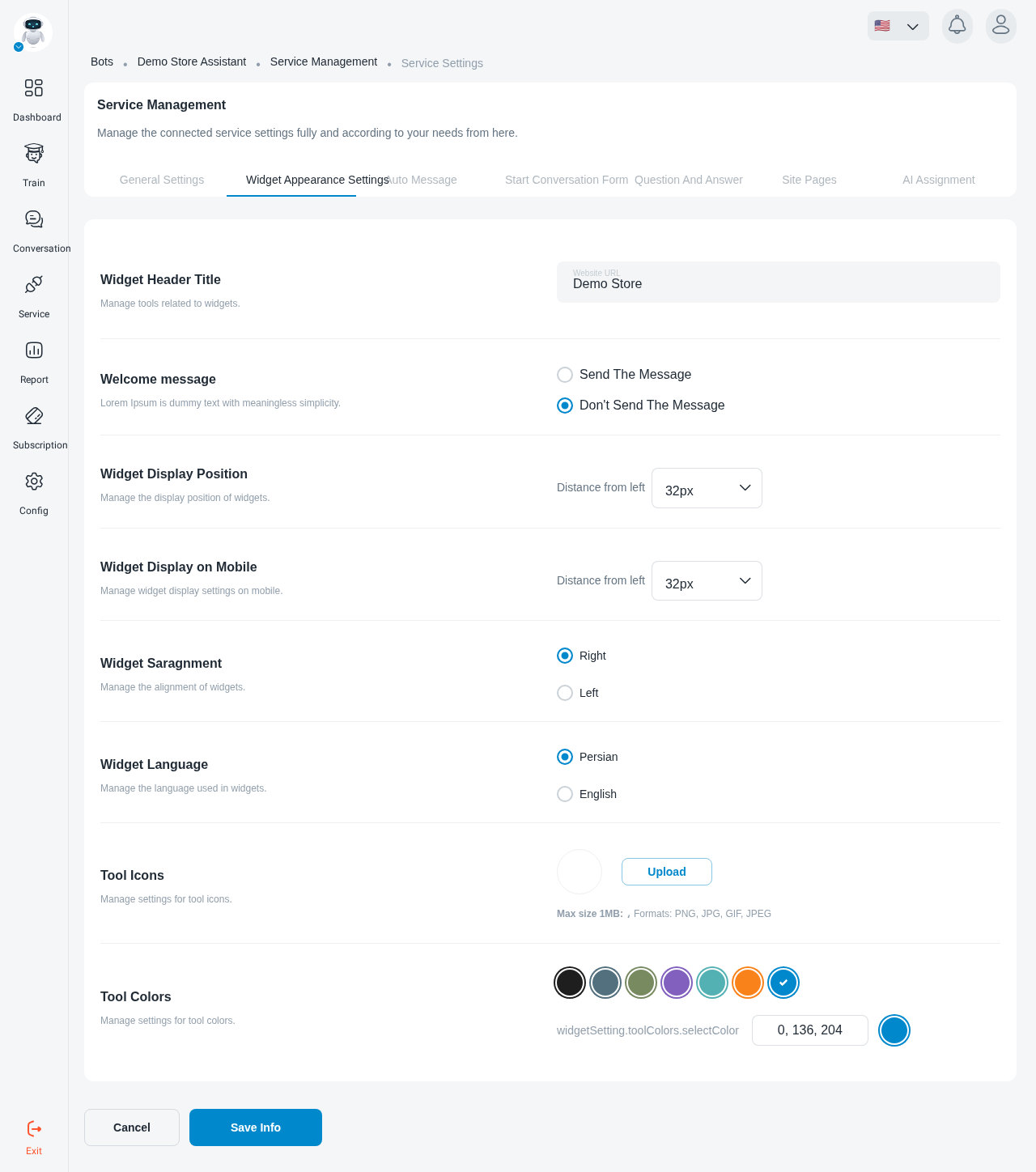
The settings are split into tabs: General Settings, Widget Appearance Settings, Auto Message, Start Conversation Form, question and answer, site pages and AI Assignment. This page covers Widget Appearance Settings.
Changes apply to the widget on your site as soon as you save.
Header title and description
Position
Widget Display Position sets how far the widget sits from the edge of the page:
- Distance from right: horizontal distance to the edge of the page.
- Distance from bottom: vertical distance to the bottom of the page.
Widget Display on Mobile has the same two values for phones, so the widget can sit differently on mobile than on desktop.
Widget Alignment chooses the side of the page: Right or Left.
Language
Widget Language sets the language of the widget’s built-in text: Persian or English.
Icon and colour
- Tool Icons: click Upload and choose an image. Up to 1 MB; PNG, JPG or JPEG.
- Tool Colors: pick the widget’s main colour to match your brand.
Save
Click Save at the bottom of the page. The message “Changes saved successfully” confirms the settings are live.