Goftino

If you already use Goftino for live chat, ParsChat can answer inside it. Your operators keep working in Goftino; the robot handles what it can.

1

Open your Goftino site

Sign in to your Goftino panel. Choose the site you want to connect, or create a new one.

2

Copy the API key

Open that site’s settings and go to the AI connection (aibot) page. Copy the API key.
3

Add a Goftino service

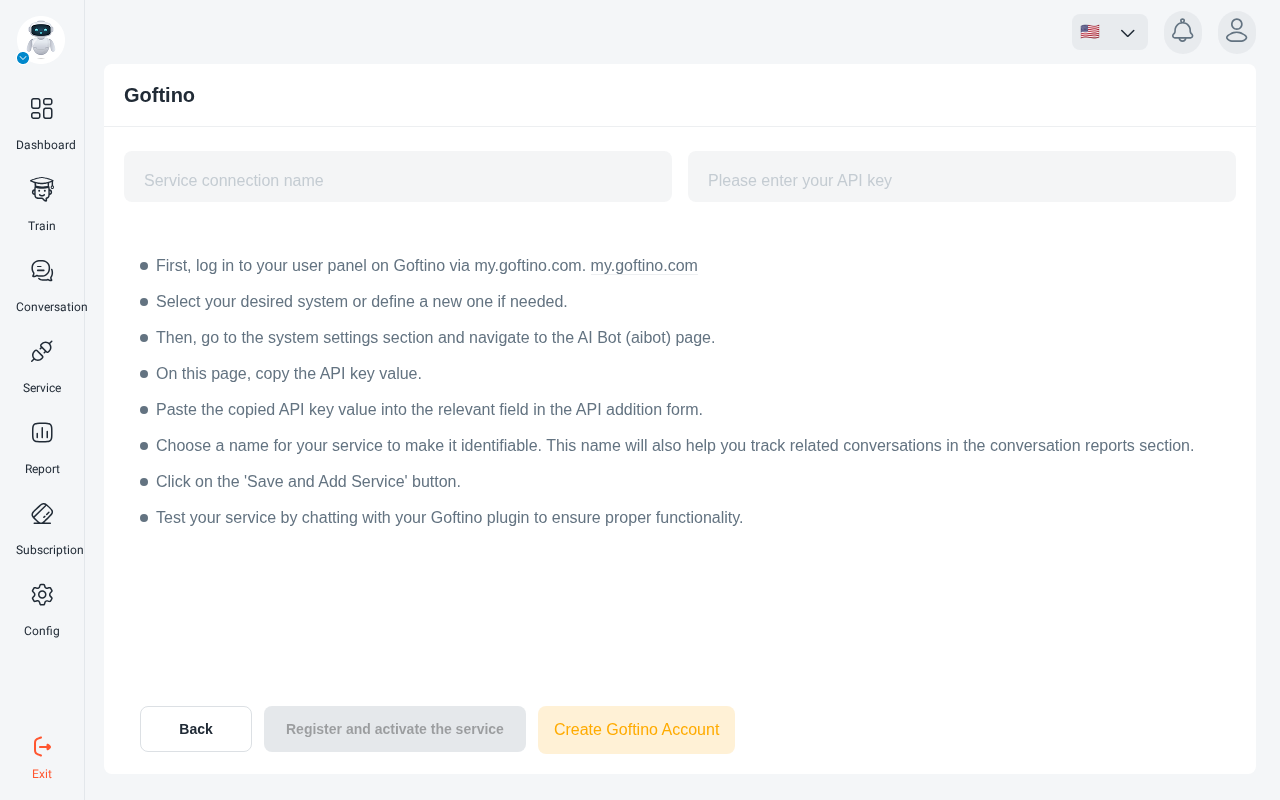
In the ParsChat panel, open your robot, go to Service and click connect to goftino. The page links to How to connect to Goftino.

Connecting Goftino

Connecting Goftino
4

Enter the key and a name

Paste the key into API Key.

Give the service a name you’ll recognise. The conversation reports use this name to identify conversations from this connection.

Click Register and activate the service.

If you see “You need to upgrade your plan to use goftino services”, Goftino isn’t included in your current plan.

Connection errors

MessageWhat to do
Goftino token is invalid. Please check the API key and try again.Copy the key again from the AI connection page, and make sure no spaces or extra characters came with it.
Connecting to Goftino failed. Please try again later.A temporary problem. Try again later; if it keeps happening, contact support.