

Train from a WordPress store
ParsChat reads your products and store content through the WooCommerce REST API. You need your site address and a WooCommerce Consumer Key and Consumer Secret.
This page trains the robot on your store’s content. To show the chat widget on your WordPress site, see WordPress plugin.
Create WooCommerce API keys
In your WordPress admin, open the WooCommerce API settings (WooCommerce → Settings → Advanced → REST API) and create a key pair with Read access. Copy both the Consumer Key and the Consumer Secret.
The Consumer Secret is shown only once. Save it before you close the page.
Open the WordPress form in ParsChat
In the panel, open your robot and go to the data sources page. Choose the store data section and open Add WordPress information. The page links to a Guide to Adding WordPress and WooCommerce Information to ParsChat.
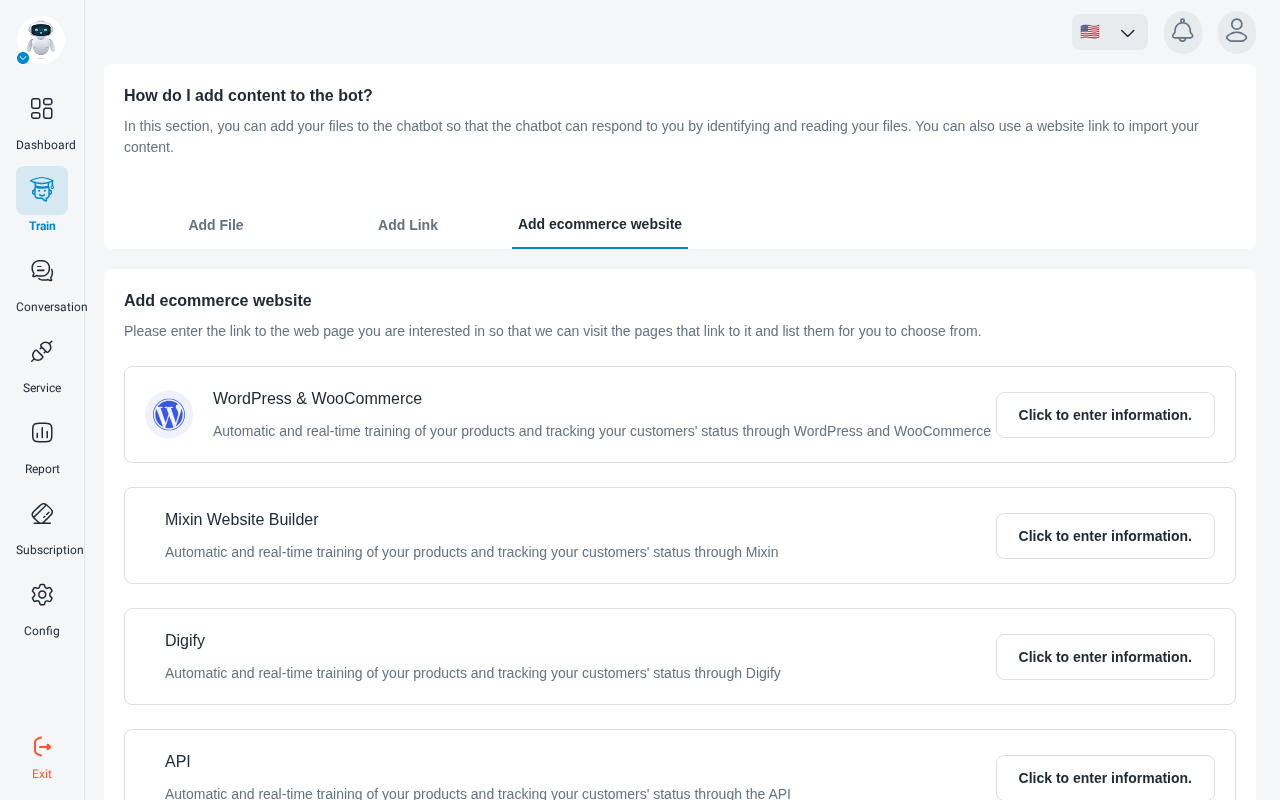
Enter the address and keys
Put your site address in Website URL, then paste the Consumer key and Consumer secret into their fields.
”Invalid WooCommerce API credentials or URL”
This means ParsChat could not reach your store with the details you entered. Check that:
- the site address is complete and correct, including
https://; - the Consumer Key and Consumer Secret come from the same key pair;
- the key has Read permission.
Fix the details and try again.