> For clean Markdown of any page, append .md to the page URL.
> For a complete documentation index, see https://docs-parschat.parstechai.com/user-manual/integrations/website-script/llms.txt.
> For AI client integration (Claude Code, Cursor, etc.), connect to the MCP server at https://docs-parschat.parstechai.com/_mcp/server.
# Add the widget to your website
> Paste the ParsChat widget code into your site so the chat appears on every page.
Any website can show the ParsChat widget with a short piece of code. On WordPress, the
[WordPress plugin](/user-manual/integrations/wordpress-plugin) does this for you.
#### Create a widget service
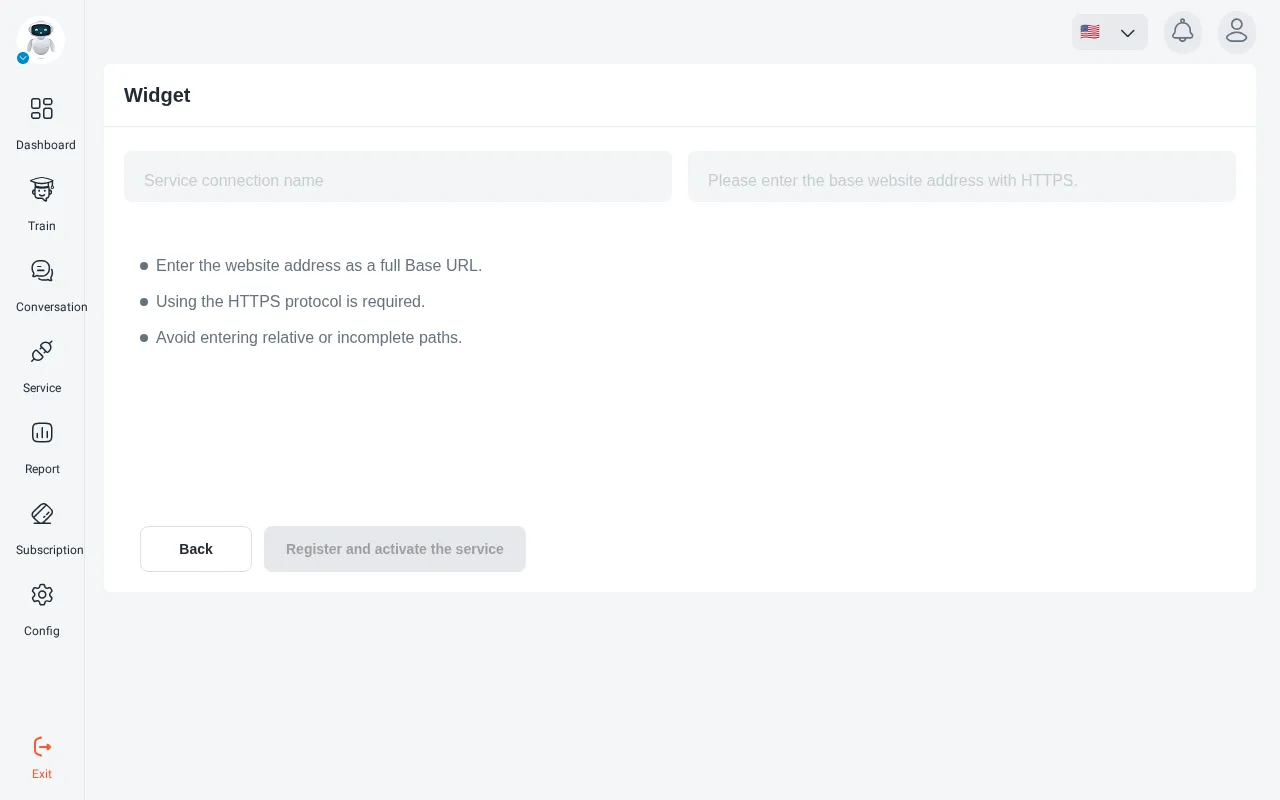
Open your robot, go to **Service** and click **connect to widget**. Give the service a name
and enter your website’s base address (it must start with `https://`). Click
**Register and activate the service**.
If the robot already has a widget service, open it instead. Each robot has one service of
each type.
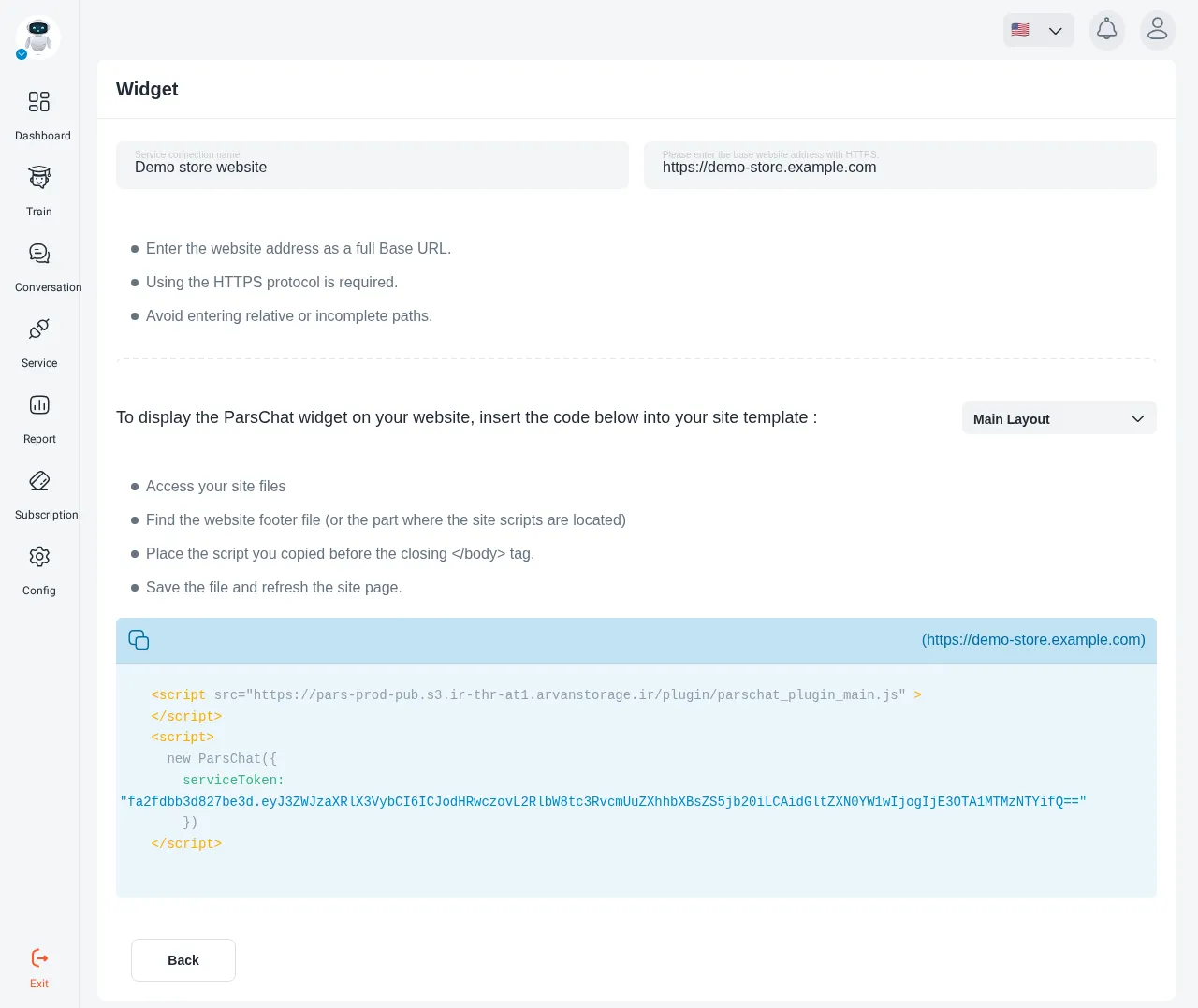
#### Copy the code
Copy the code shown in the panel. It looks like this and carries your service’s own token:
```html
```
> **Note**
>
> Copy the code from **your panel**, not from this page. The `serviceToken` is unique to each
> service and is filled in for you there.
#### Add it to your site
Paste the code just before the closing `` tag.
If your pages share a template, paste it once into that template and the widget appears on
every page.
#### Check it
Open your site in a browser. The chat widget should appear in the corner of the page.
## The widget doesn’t appear
* Check the code was copied **complete and unchanged**.
* Check the `serviceToken` value is correct.
* Open the browser console and look for errors.
* If your site uses a cache or CDN, clear it so visitors get the updated pages.
## Next
Change the widget’s look and position in [Widget appearance](/user-manual/widget/widget-settings).
> Paste the ParsChat widget code into your site so the chat appears on every page.